
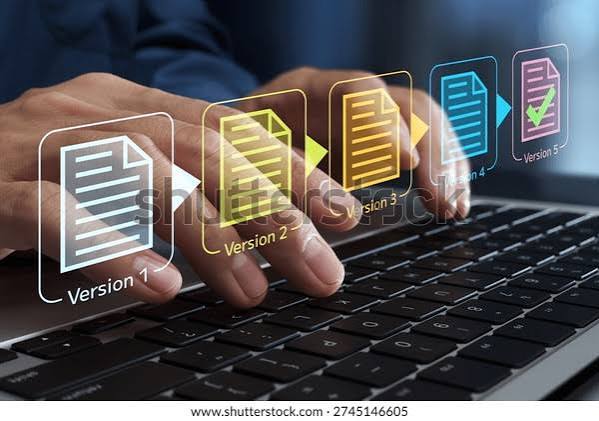
What Version Control Does and Why It Is Non-Negotiable
Version control is the discipline and the tooling that tracks every change made to code, documents who made each change and when, provides the ability to revert to any previous state, and enables multiple people to work on the same codebase simultaneously without overwriting each other’s changes. The software developer working without version control is working without a safety net — every change is potentially destructive, every mistake is potentially permanent, and collaboration is a series of painful manual merges rather than the automated process that modern version control provides.
The version control scenario that most vividly demonstrates its value to developers who have not yet experienced it: the deployment of a code change that introduces a critical bug, requiring immediate rollback to the previous working state. The developer with version control executes a single command to return the codebase to the exact state it was in before the problematic change, verifies that the bug is gone, and begins investigating what caused the bug in the change history. The developer without version control attempts to remember what was changed, manually reverses those changes, discovers that the manual reversal is imprecise, and spends hours attempting to stabilise a codebase that version control would have restored in seconds.
How Git Works: The Core Concepts
Git’s data model — the foundation that makes it both powerful and initially confusing to new users — stores the project’s history as a directed acyclic graph of commits, where each commit represents a snapshot of the complete state of the tracked files at the moment the commit was made, along with metadata about who made it, when, and a brief description of what changed. The commit history is immutable — once a commit is created, it cannot be changed without creating a new commit that replaces it — which gives Git its ability to reliably restore any previous state and to compare any two points in the project’s history.
The Git concepts that most new users find most confusing and most worth clarifying: the staging area (also called the index — the intermediate area between the working directory where changes are made and the repository where commits are stored, which allows the developer to select precisely which changes to include in the next commit rather than committing everything that has been changed), the difference between local and remote repositories (the local repository exists only on the developer’s machine; the remote repository exists on a server like GitHub or GitLab and is the shared reference point for collaboration), and the distinction between merging (integrating changes from one branch into another by creating a merge commit that records the integration) and rebasing (integrating changes from one branch into another by replaying commits on top of the target branch, producing a linear history that is easier to read but that rewrites commit history).
Branching Strategies for Team Development
The branching strategies that most commonly guide how teams use Git for collaborative development: GitFlow (a structured branching model with defined branch types for features, releases, and hotfixes — well-suited for projects with defined release cycles and multiple versions in production simultaneously), trunk-based development (a strategy where all developers work in short-lived branches off of a single main trunk branch and merge back to trunk frequently — well-suited for teams practising continuous integration and continuous deployment), and GitHub Flow (a simplified strategy where feature branches are created from main, developed, reviewed through pull requests, and merged back to main for deployment — a practical middle ground between GitFlow’s complexity and trunk-based development’s discipline requirements).
The branching strategy selection principle that most organisations find most useful: the branching strategy should match the deployment cadence and the team’s continuous integration maturity rather than being selected based on the strategy’s name recognition. The team that deploys multiple times per day benefits from the short-lived branches and rapid integration of trunk-based development; the team that releases monthly benefits from the release branch structure of GitFlow; the team that is getting started benefits from the simplicity of GitHub Flow. The branching strategy that matches the team’s actual workflow is the one that gets followed consistently; the one that prescribes more discipline than the team is ready for is the one that gets abandoned when under pressure.
Pull Requests and Code Review
The pull request (PR) — or merge request (MR) in GitLab terminology — is the mechanism through which code changes proposed in a branch are reviewed, discussed, and approved before being merged into the main codebase. The PR workflow serves multiple purposes simultaneously: it provides a structured code review process that improves code quality and spreads knowledge of the codebase across the team, it provides a record of what changed, why it changed, and what was discussed before the change was accepted, and it provides an integration point for automated testing and deployment pipelines that must pass before a change can be merged.
The code review practice that most improves the quality of feedback and the quality of the resulting code: the review that focuses on correctness (does the code do what it is intended to do?), maintainability (will a developer who is unfamiliar with this code be able to understand and modify it?), and security (does the code introduce any security vulnerabilities?) rather than on style preferences that should be enforced by automated linters and formatters. The code review that identifies genuine correctness or security issues adds significant value; the one that is primarily a debate about formatting preferences or variable naming conventions adds little value and creates friction that reduces the team’s willingness to request reviews for smaller changes.
GitHub: The Collaboration Platform
GitHub — the web-based platform that hosts Git repositories and adds collaboration, project management, and automation features — has become the default home for the majority of open-source software and for a large proportion of private enterprise code. GitHub’s features that most enable effective software development at team scale: the pull request workflow with inline code review, the Actions CI/CD platform that automates build, test, and deployment workflows in response to repository events, the Issues and Projects tools that integrate bug tracking and project management with the code that implements the fixes and features, and the Dependabot service that automatically identifies and proposes updates for vulnerable dependencies.
The GitHub workflow that most efficiently enables open-source contribution from external contributors: the fork-and-pull model, in which contributors create their own copy (fork) of the repository, make changes in their fork, and submit a pull request to the original repository proposing that their changes be merged. This model allows repository owners to review and selectively merge contributions without granting contributors direct write access to the original repository — maintaining the repository owner’s control over what is merged while making it easy for anyone to propose improvements. The fork-and-pull model is the workflow that has enabled the global open-source collaboration that has produced the majority of the software infrastructure the modern internet depends on.